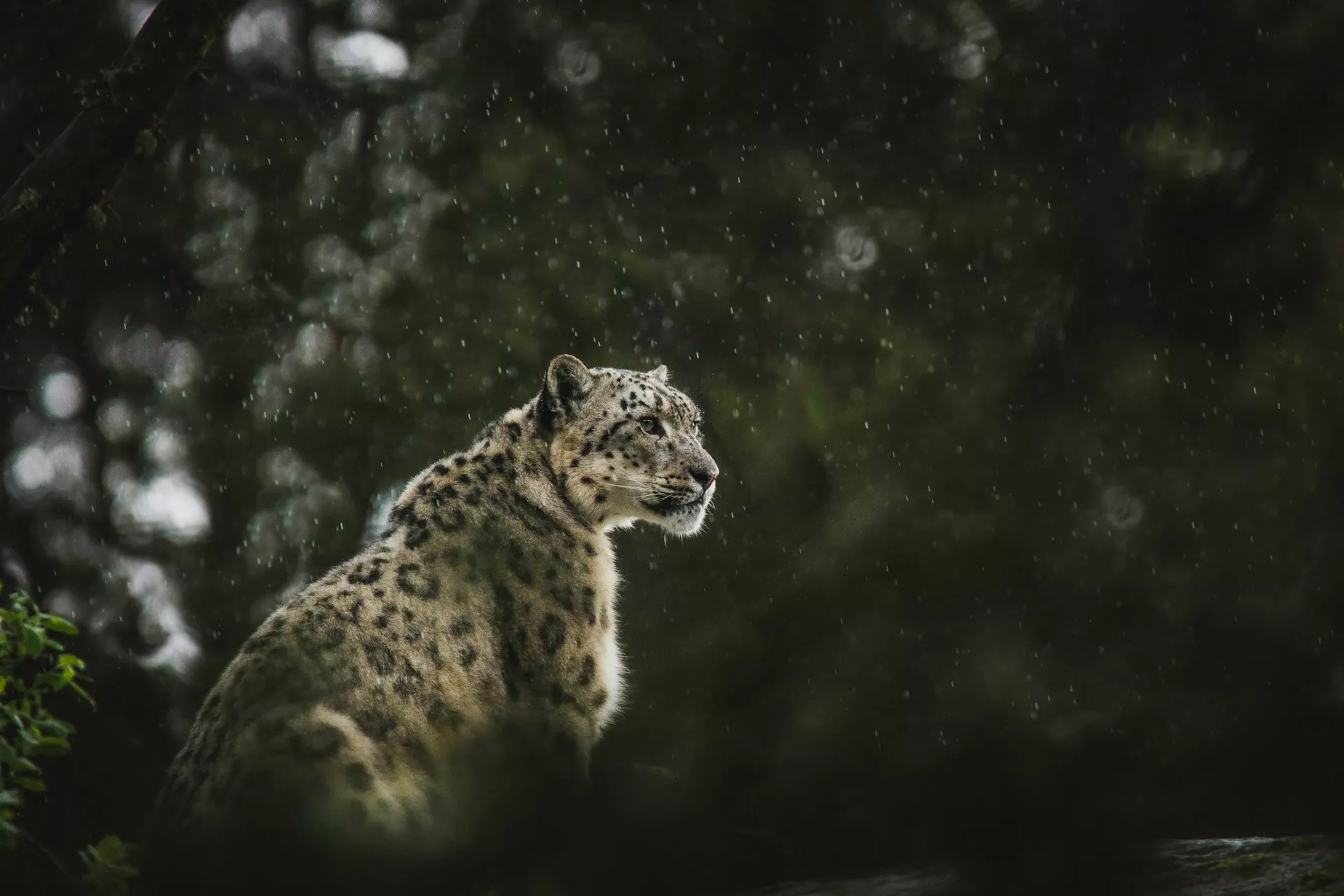
Wildlife photography is capturing photos of birds, animals and other critters in the wild, in their natural habitat. It is completely different from capturing photos of animals or birds in the zoo. Wildlife photography is not easy and requires a lot of patience and skills. It also needs educating oneself about different animal behaviours and having great respect towards wild animals.
Photographing wildlife will require special gear like a long lens and a camera that has continuous autofocus and can shoot in burst mode. In this article we have put together a set of tutorials that will help you to get started in wildlife photography.
Photo by Pieter van Noorden
Wildlife photography is one of the most rewarding genre in photography and working with such stunning subjects requires a lot of observational skills, research and understanding of the subjects, to get the best shots. Scouting for locations, working with the light and elements and wisely choosing compositional techniques are some of the most important factors that will help to capture the best wildlife photos. In this article, we have put together some tips that will help you to capture beautiful wildlife photos.
Photo by Jeremy Hynes
Wildlife photography is quite different compared to other genre of photography in the sense you cannot always predict the behaviour of your subjects and it is also difficult to spot them in the wild. You may have heard of wildlife photographers who have spent days, weeks and months looking for their favourite or a particular subject. Besides you will need to take into account a few other factors as well in order to capture the best shots. If you are a beginner in wildlife photography, this article will help you get started.
Photo by Harsh Singh
In the early days into wildlife photography, you may be practicing with a smaller lens like your kit lens that came with your camera. Most of the time when this lens is used with a crop sensor camera, it will work well for shots of bigger animals that are not too far away and also for good environmental shots. Wildlife photography can be done better with the right gear if you are planning to take it up seriously and this article discusses the gear you need to get started.
Photo by Polina Koroleva
Some wildlife photos can be done better if you take care of some little things when out in the field. All animals portray attitudes and behaviour and capturing these against a good background can result in compelling photos. You just need to move around a bit and look at your subject from a different angle and perspective. This article provides some tips to add a wow factor to your wildlife photos.
Photo by Frida Lannerström
You may have started wildlife photography and shot a few photos but found that they are not very interesting. Following a few tips and techniques can help you capture better wildlife photos. This article talks about research, patience, backgrounds, light, settings for creative shots, composition, ethics and gear for wildlife photography in the form of short tips.
Photo by Alpha Perspective
If you are someone who lives in urban areas, you would have come across a few species off wildlife in public places. Photographing these wildlife is a way to get started in wildlife photography. Most of the urban wildlife are not very shy and come quite closer to humans compared to the animals and birds in the wild. Practicing wildlife photography in an urban area, is a great way to start wildlife photography. This article gives a few tips to shoot urban wildlife
Photo by Max Zaharenkov
There are times when photographers plan safaris or other wildlife expeditions and they will need to be in locations where they will need to work with the gear in hand for a few days or even more. Even if you go out for a day safari or wildlife adventure, you will need to pack the necessary gear in order to capture the shots without any stress. This article talks about the gear you need to pack when you go out for wildlife photography.
Photo by Debjoy Biswas
Once you have captured your wildlife shots, you will need to edit them to give the image a pop and the right colours. Remember to always shoot raw for effective post processing. A slight adjustment in exposure, contrast, adjusting the white balance, highlights and shadows will help to bring out the best from your raw files. Depending on the files, you may need to make further adjustments like vibrance, sharpness, clarity etc. This article talks about editing wildlife photos in Lightroom for visual impact.
Do you want to increase engagement and the amount of time visitors spend on your website? That’s where a WordPress video player can help. You can increase engagement by adding a video player plugin to your WordPress website. Not only does this reflect well on your brand, but it also helps your SEO ranking.
WordPress lets you add embedded video out of the box, but you can make the process easier and create a better user experience with a plugin.
Adding a stylish WordPress video player plugin lets visitors engage with the content on your website. Video plugins are full-featured, customizable, and easy to integrate into your website.
The Best WordPress Video Plugins and Players on CodeCanyon
Discover CodeCanyon’s extensive library of the best video WordPress plugins ever created. With a cheap one-time payment, you can purchase one of these high-quality WordPress plugins and give your website viewers a more interactive experience.
With the Essential Grid Gallery WordPress Plugin, you can add both photo galleries and video galleries. Include galleries built with other popular plugins, link to video sites such as YouTube and Vimeo, and create gorgeous grid-based galleries.
With The Grid, you can create endless layouts and grids for your videos. The plugin also includes a touch slider (also known as a carousel) for mobile, and WooCommerce support so you can use powerful, responsive video to help sell your products.
This plugin has over 400,000 sales! This is one of the most complete video gallery plugins on CodeCanyon. The main hero section is where this plugin shines. You can see in the image above just how visually appealing you can make your hero section. You are given full customization with this plugin.
Here are a few notable features for this video gallery plugin:
RoyalSlider will make your videos look great on your website. The plugin is mobile-friendly and will allow you to add custom slideshows and CSS3 banner rotators with images, videos, or HTML content. What sets this plugin apart from the rest are the 12 visually appealing transition effects. This plugin has over 30,000 sales!
Here are a few notable features for RoyalSlider:
touch swipe navigation support for iOS and Android
The Media Grid: WordPress Responsive Portfolio plugin lets you build bespoke, fully customisable grids of images, video, and other media using a simple drag-and-drop interface. It also has a dynamic grid mode, letting you create video grids in moments.
If you are going to be creating a portfolio, showcase, or teaser, then this is the plugin for you. You can create portfolios by creating new custom post types with images, audio, or video thumbnails. This plugin will give you numerous customization options for creating your portfolio.
The Ultimate Layouts plugin will help you create a layout for video and other media if you’re using the WPBakery page builder plugin.
It’s responsive, integrates with YouTube, and lets you build unlimited layouts using the WPBakery page builder, so you don’t have to switch to an unfamiliar interface. Display grids, lists, and carousels with ease.
The Elite Video Player plugin is a fully customisable advertising video player that supports advertising on the most popular video channels such as YouTube and Vimeo.
Import videos, channels, or playlists and play using the default YouTube player or add custom controls. As well as YouTube and Vimeo, you can play self-hosted video or video hosted on Dropbox or Amazon S3.
Features:
advertising pre-roll, mid-roll, or post-roll
Google Analytics: see which of your videos are most popular
If you want to enhance your videos with features such as subtitles in multiple languages, downloads, and adjustable playback speed, the Ultimate Video Player plugin is for you.
It boasts a wide range of features including advertising, cue points, live streaming, and more.
Features:
advertising pre-roll, mid-roll, post-roll, or via popups
Ever thought about including videos in a flipbook? The Diamond Flipbook plugin lets you do that. Create a dynamic flipbook from your content and media, and include video too. Videos will be overlaid on the flipbook in the background.
Features:
PDF support
multiple file upload
JavaScript-based and iOS-compatible
reverse flipbooks for right-to-left languages
insert flipbook via shortcode, template, or lightbox.
If you’re not happy with the default YouTube player, the HTML5 Video Player plugin will provide you with a customisable player that’s designed to display your video in high quality. It supports YouTube, Vimeo, and self-hosted video, and it’s fully responsive.
This HTML5 Video Player is ideal if you want a video player which will support YouTube, Vimeo, and self-hosted videos. The plugin can be used as a full-screen video background for your website. The video will cover the entire screen without any black stripes.
Other features of this player include:
lightweight JSON file of about 256KB
use the plugin as a fixed-width or full-width video player
use the parameters to set the border width and colour
ModuloBox is a beautiful, easy-to-use lightbox plugin that makes it simple to create a fully functional slideshow in a popup. Built with plain JavaScript, it offers the best performance and advanced features to show off your media.
Some features include:
create responsive galleries of HTML5 videos or embed videos from YouTube, Vimeo, Dailymotion, or Wistia
display external websites from a simple URL—for example a Google Map
supports gestures: drag and swipe to navigate through items, pinch to zoom, etc.
Revolution Lightbox is another plugin that lets you add video to a lightbox. It also supports images, Google Maps, and HTML content, giving you maximum flexibility. The lightbox is customizable, so you can adapt it to suit your theme.
Image Map Pro comes with many of the standard map features such as adding text and images to maps. However, this plugin offers so much more. The plugin has its own rich web app! This allows you to easily create a wide selection of custom image maps, pins, and shapes to use on your website.
Here are a few key features for this interactive video WordPress plugin:
Manually embedding videos into your site takes time. The WordPress Video Robot plugin automates this process for you. It’ll take the search terms you give it and automatically add relevant videos to your site. The videos don’t even need to be from your own channel.
If you have an online store and you want to display your products with full 360º animation, this plugin is ideal. Your customers will be able to see your products from all angles, with smooth animation all the way around.
This plugin will easily let you add YouTube videos, Vimeo videos, Dailymotion videos, and self-hosted videos on your WooCommerce site. The videos come with a full range of customization options. Included are even several embedding options such as playback volume, full-screen button, and video controls display.
Here are a few notable features for this plugin:
support for YouTube, Vimeo, Dailymotion, self-hosted, and MP4 videos
videos on single product and category pages
enable and disable video option in the shop or on a single product page
This video gallery plugin is feature-rich. You will be able to create professional-looking galleries within minutes with this plugin. It’s easy to install and even comes with a shortcode generator. If you are looking for a quick solution for your next video automation plugin, this is the right choice for you.
Here is what you can expect from the Video Gallery WordPress Plugin:
five skins + skin generator
iPhone/iPad compatible
extensive admin panel
subtitle support
shortcode generator
Discover Even More High-Quality WordPress Video Plugins
The plugins listed above all do something slightly different, or give a variation on a different functionality such as lightboxes or galleries. The best one for your site will depend on your needs: do you want to pull in videos automatically, for example? Are you hosting videos locally? Do you want enhanced video playback controls?
In this article, we covered many of the best video WordPress video plugins available on CodeCanyon. However, you may have very specific requirements for your video plugins, and the ones mentioned in this article may not be what you are looking for. To help you further with your search, we have even more top video WordPress plugins that you can check out in the articles below:
The various features and styling options allow you to integrate an eye-catching and fully functional player for your media that can fit your website’s theme.